Your docs know what you wrote. Your board knows what's left to do. Neither knows what your system is — which pieces it has, what talks to what, the route an order takes from the moment it comes in to the moment it's charged. Beespace builds that map first, then puts everything else on top of it: the work, the discussion, what got decided and what got learned. The team's half runs on a machine the team owns — the board, the knowledge, the chat. Your half never leaves your laptop: the repo, the editor, the agents. Same install on both sides, nothing in between.
Private beta. Tell us what you're building and we'll set you up — we're taking a handful of teams at a time, because we want to talk to each one.
Self-hostedYour machines, start to finish. Nothing leaves your infrastructure.
One binaryYours and the team's. No database to run, no services alongside.
You choose who you talk toClaude Code, opencode or a local model. Including no one — never metered, no keys kept here.
No telemetryNo analytics, no crash reports, nothing to opt out of.
What's inside
Everything the team works with, in one place.
The map of the system, the work, what the team knows, and the work that repeats — on your own server, with the AI you already use. Agents work in there too, as members.
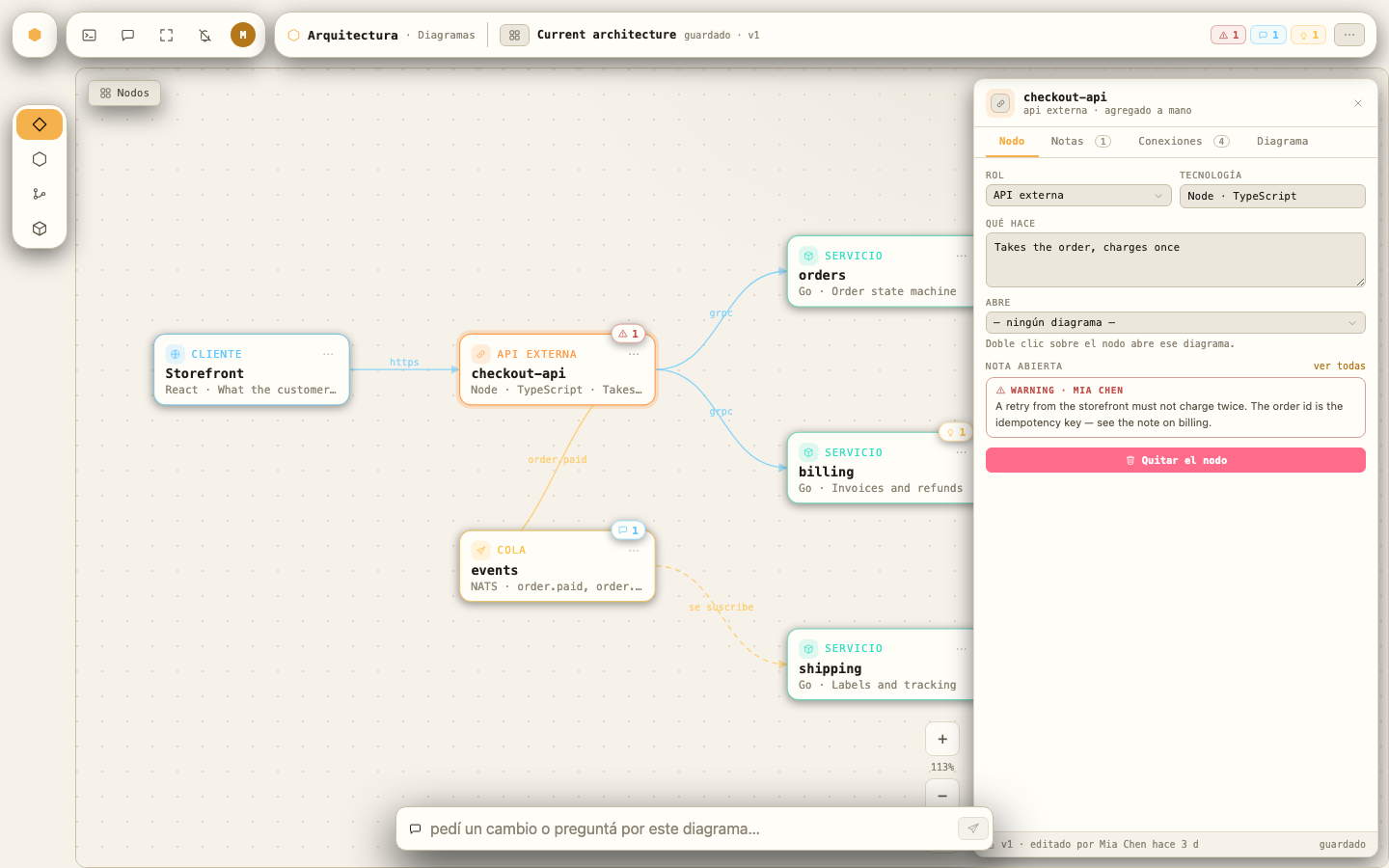
Point it at a project and it maps the system — the pieces, what talks to what — half deduced from your own configuration, half interpreted by a model that shows you the prompt before it's sent. What you get isn't a picture that goes stale: it's a document the team edits, annotates and argues with.
It tells you the price before it charges you— reading the map is free, scanning your project costs time and no tokens, interpreting is one call. Nothing extracts on its own.
Then trace one operation through it— name «create a user» and it lays out the steps, the actors and the decisions. Your fixes survive the next trace, and every business rule it finds becomes an article in the knowledge base.
The agent proposes beside the document— ask it for a change and the proposal lands next to the diagram, as a diff a person applies. A diagram the team is arguing about can't change while they look at it.
02Team server
Your code stays yours. The team's work lives with the team.
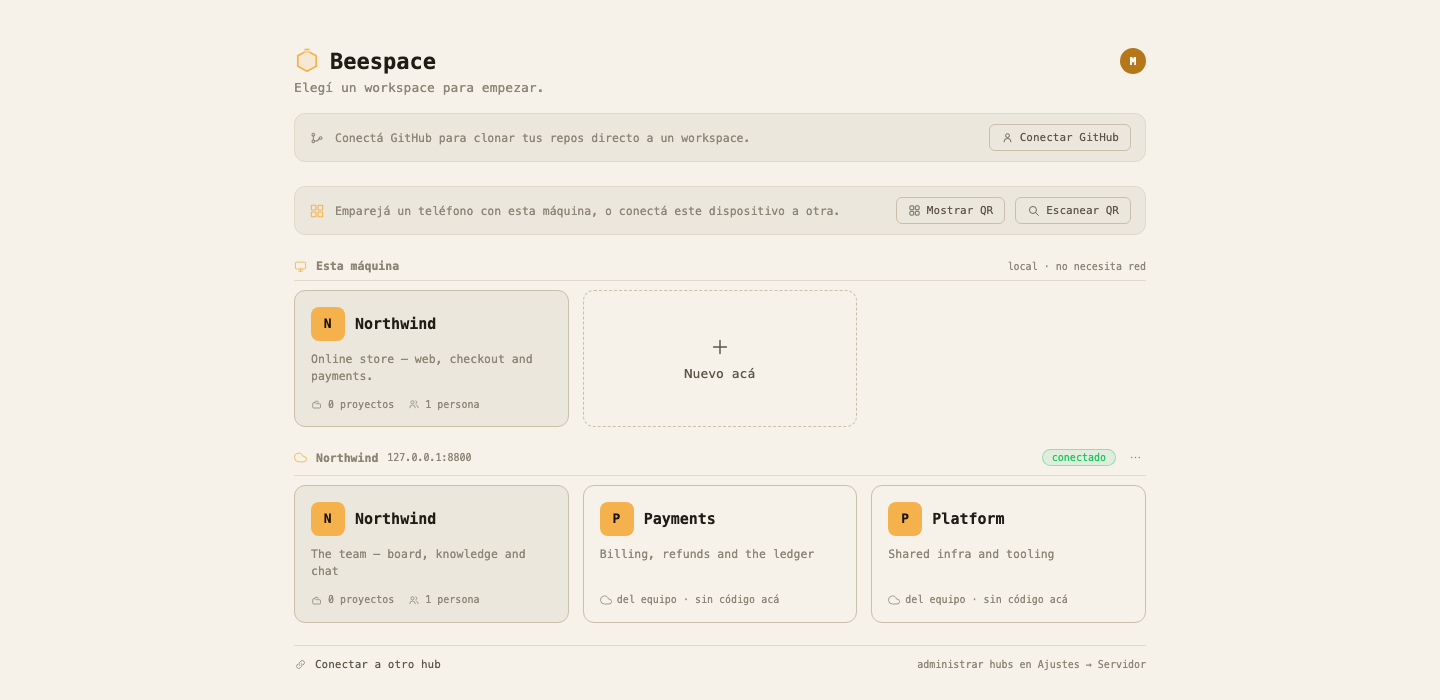
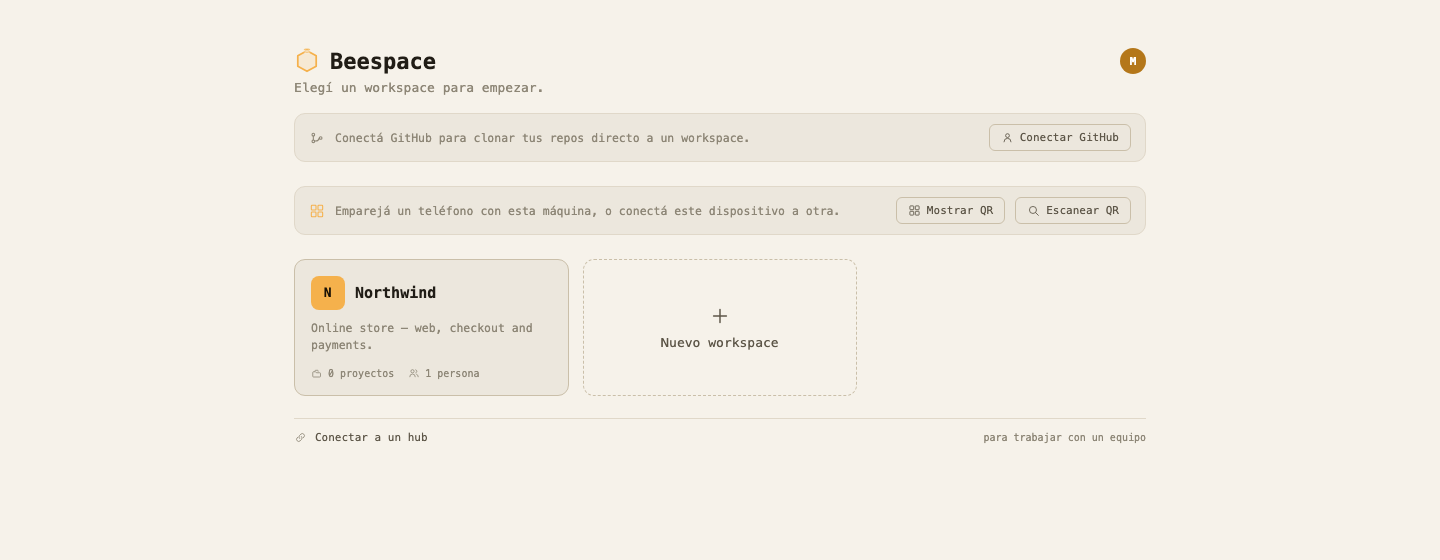
Run a second Beespace — the same binary, on a machine your team owns — and it becomes where the team's half lives: the board, the knowledge base, the chat, and who is allowed to do what. Your machine keeps what's yours: the repo, the map, the editor, the agents. Picking a workspace is picking which server it comes from.
The code never goes up— it's cloned on your machine and stays there. The explorer, the architecture and the agents always talk to the server in front of you.
The knowledge base lives on both sides— it syncs file by file, both ways, so the team's articles are on your disk too. Agents read them without a round trip.
The team's server can go down and you keep working— boards render from what you already have, and what you write waits its turn and lands when it's back.
Swipe to see it all →
Swipe to see it all →
03Agents
A teammate you can take apart.
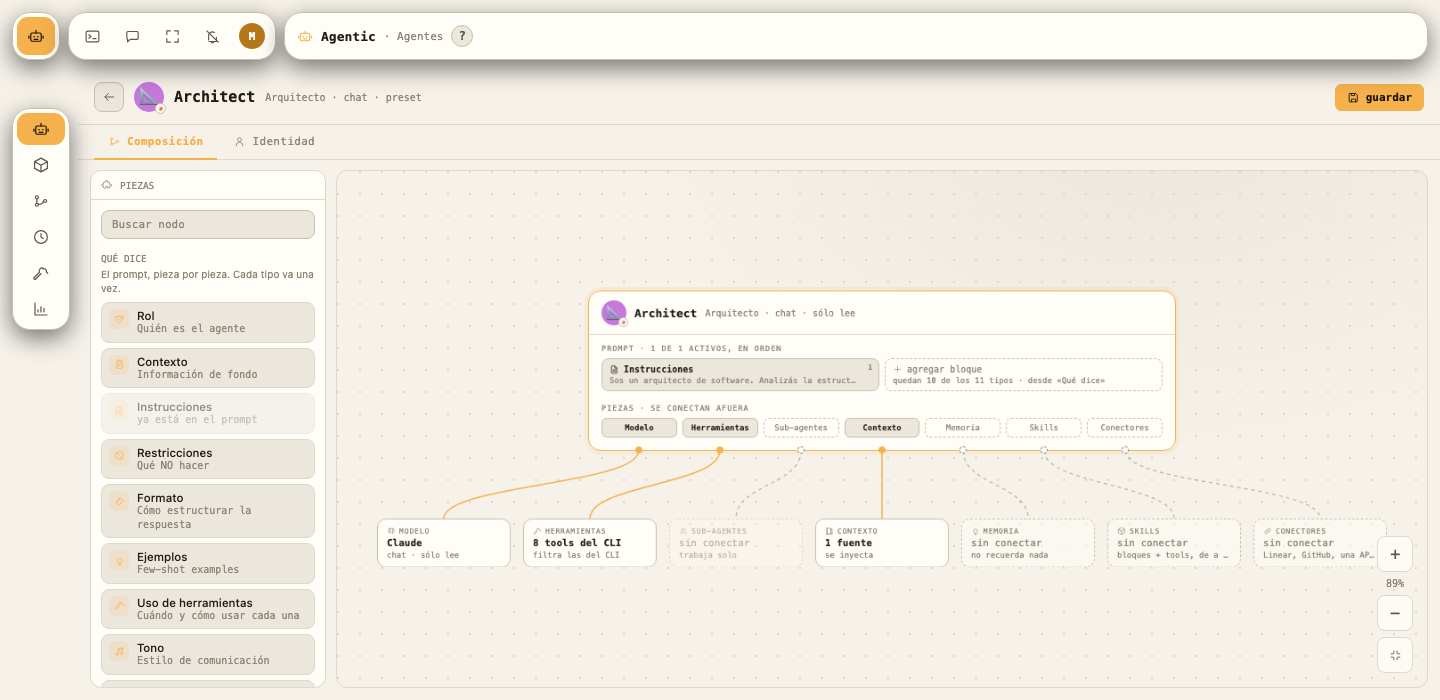
An agent here is drawn, not typed into a box. The prompt is laid out piece by piece — role, context, instructions, limits — and everything it can reach hangs off a port on the outside: the model, the tools, the knowledge base, its memory, who it can delegate to. You see exactly what it is before you hand it any work.
Nothing hides in a wall of text— eleven kinds of block, each one going in once, in the order you set. Switch one off and it stops being sent, and you can read the assembled prompt before anyone runs it.
What it can touch is a decision— tools, memory, knowledge base and sub-agents each plug in on their own. Left unplugged, it genuinely can't: a chat agent reads and nothing else, and the ones that edit run under your permissions, not above them.
Six come built in, and they travel— builder, reviewer, architect, designer and two more, ready to start from. Publish one to the team server and the rest of the team pulls it down with the same pieces.
04Workflows
Work that runs itself, and still asks.
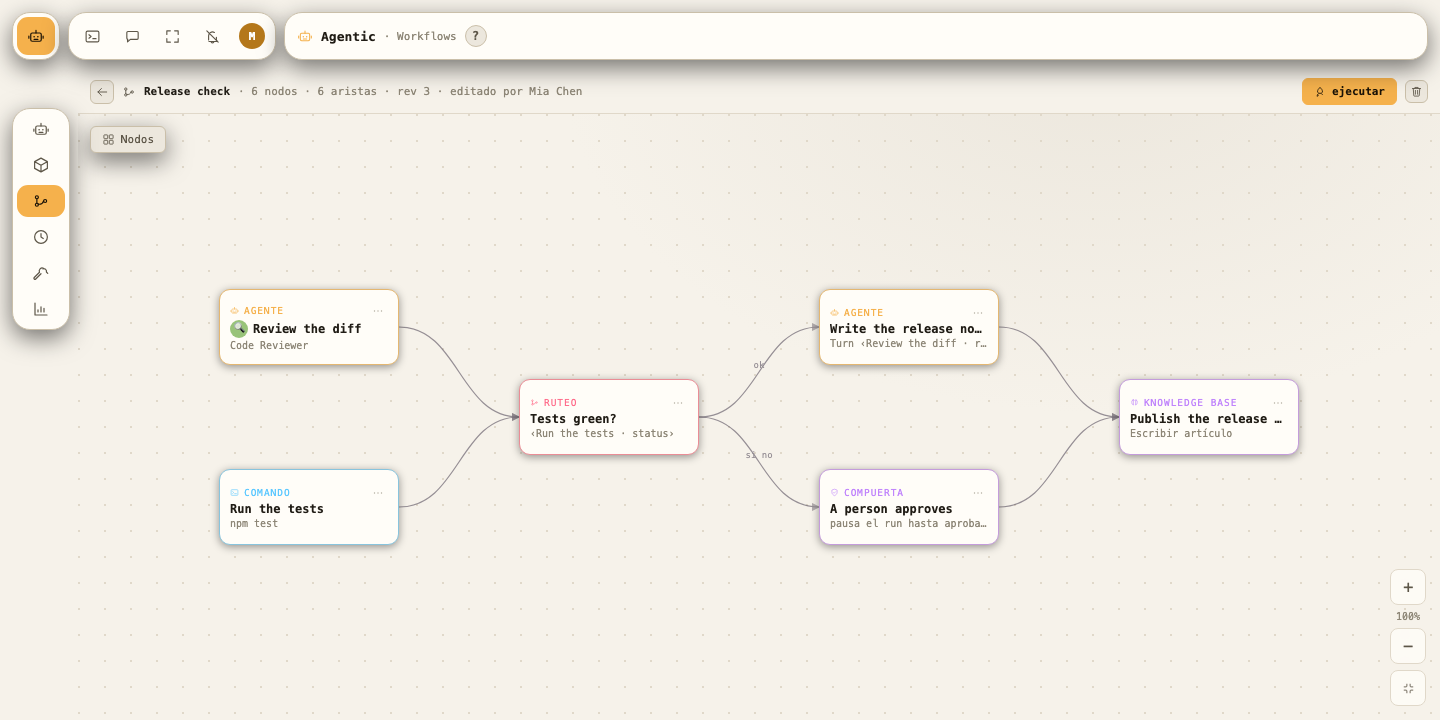
Draw the work once — review, tests, docs, approval, deploy — and run it on a schedule or on demand. Each step is an agent that's already a member of the team, a command you already run by hand, or a gate that stops everything until a person says yes. What one step produces, the next one can read.
Steps talk to each other— what a step changed and what it committed are there for the next one to read. And a run can ask you for inputs up front, worked out from what the steps actually need.
Nothing lands until it's done— every run works on its own copy of the project, every step on its own inside that. Results merge back step by step, and a conflict fails one step — not your repo.
It belongs to the work— a run has an owner, can hang off a feature on the board, can be cancelled at any point, and leaves a record per step in the same history as everything else.
05Editor
A real code editor, built in.
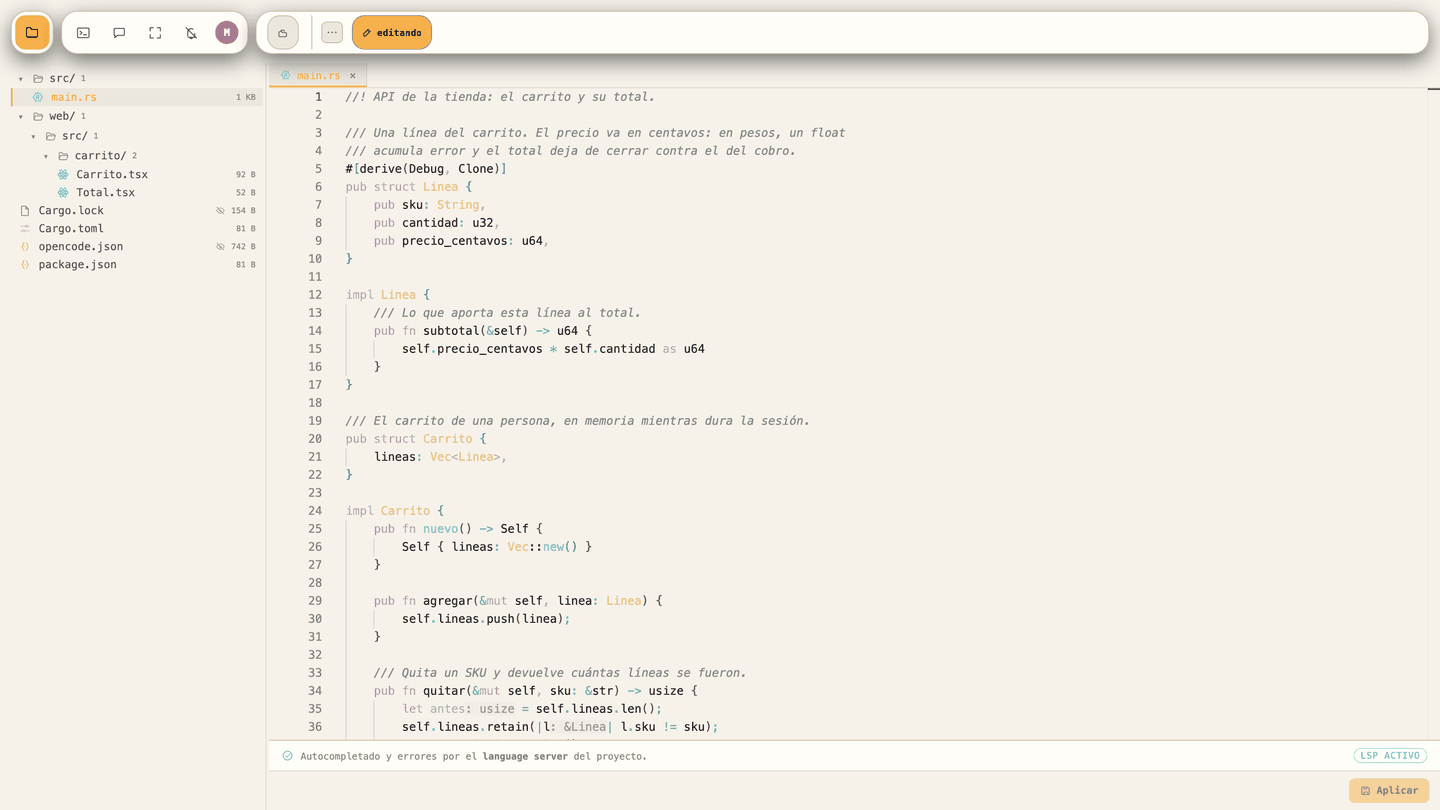
You don't leave the workspace to touch the code. Any file opens in a full editor with a real language server running for the project — hover gives you the actual signature and docs, mistakes get underlined. Git status per file, diffs and a terminal, in the same tab as the map, the board and the knowledge base.
It installs them itself— into its own folder, the way desktop editors do, instead of asking you to install anything system-wide. Remove it later from the same screen.
And it says what it won't install— gopls, python-lsp-server and the Xcode ones need a toolchain we shouldn't be managing, so you get the command to run instead of a button that couldn't deliver.
06Knowledge base
Write it down once. Then hand it to someone.
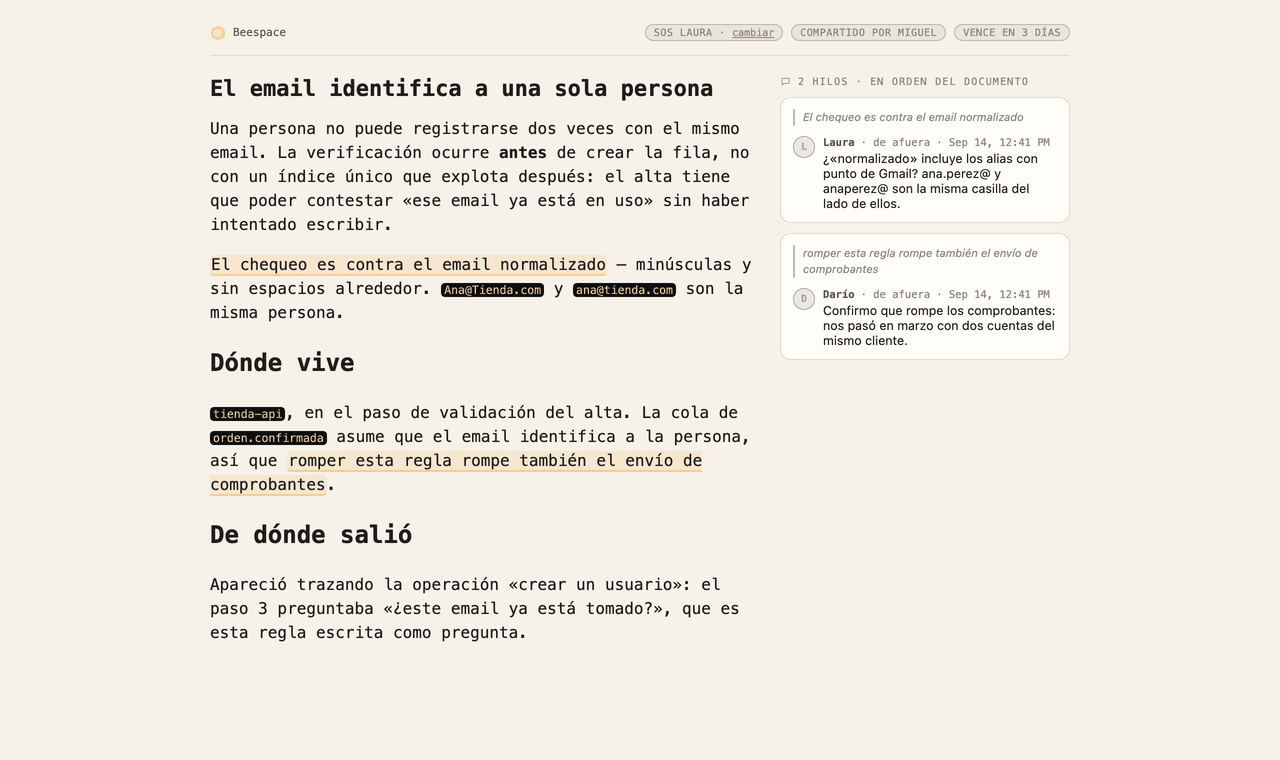
The knowledge base is where the team writes down what it knows — organised by category, linked both ways, and searchable by meaning without sending anything out. What it also does is leave the building: mint a link to an article and somebody without an account reads it. Optional passcode, an expiry that isn't optional — there is no «never» — and comments anchored to the exact sentence they're about.
The secret never reaches the server— the link carries its own key, and that key is never sent to us. It isn't in a log, and it isn't leaked to the next page the reader opens.
The articles partly write themselves— every business rule the Flow layer uncovers gets published as its own article. «Is this email already taken?» becomes «a user's email is unique», which is the version worth sending to someone.
07Team
The people and the agents, in the same room.
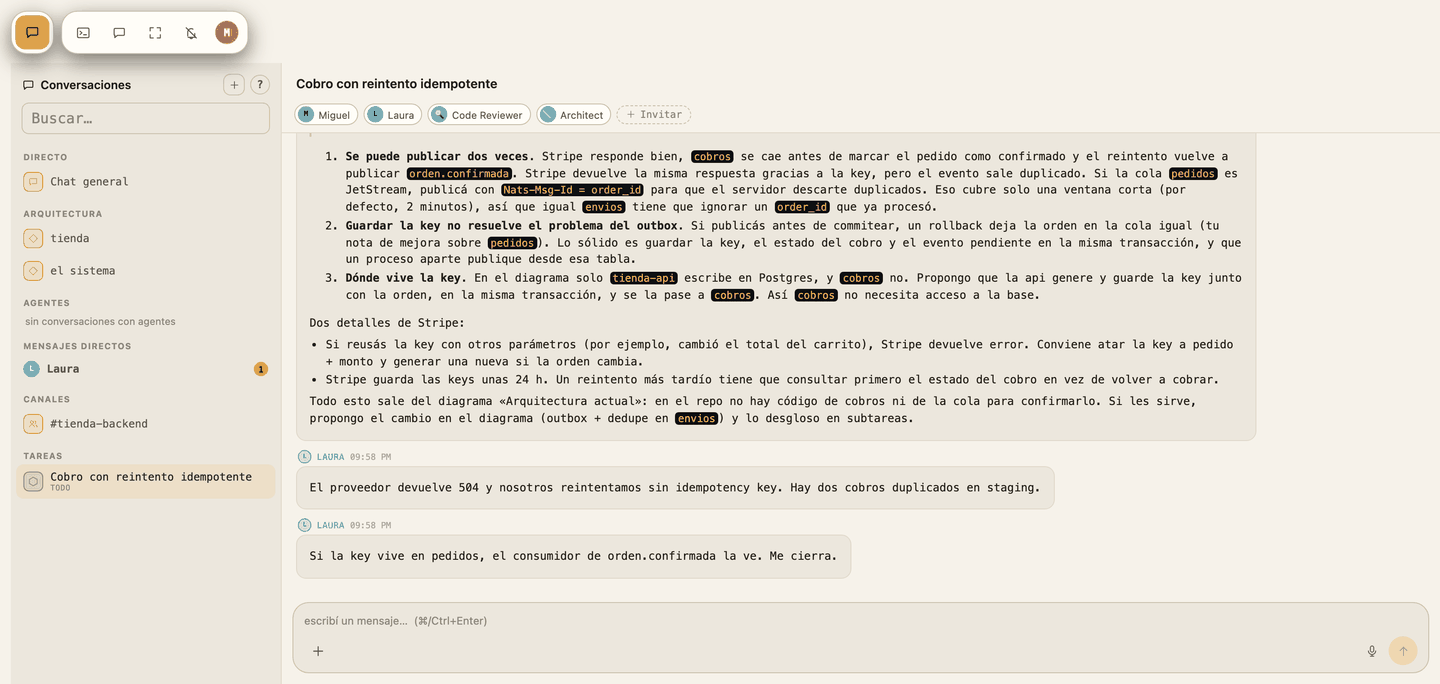
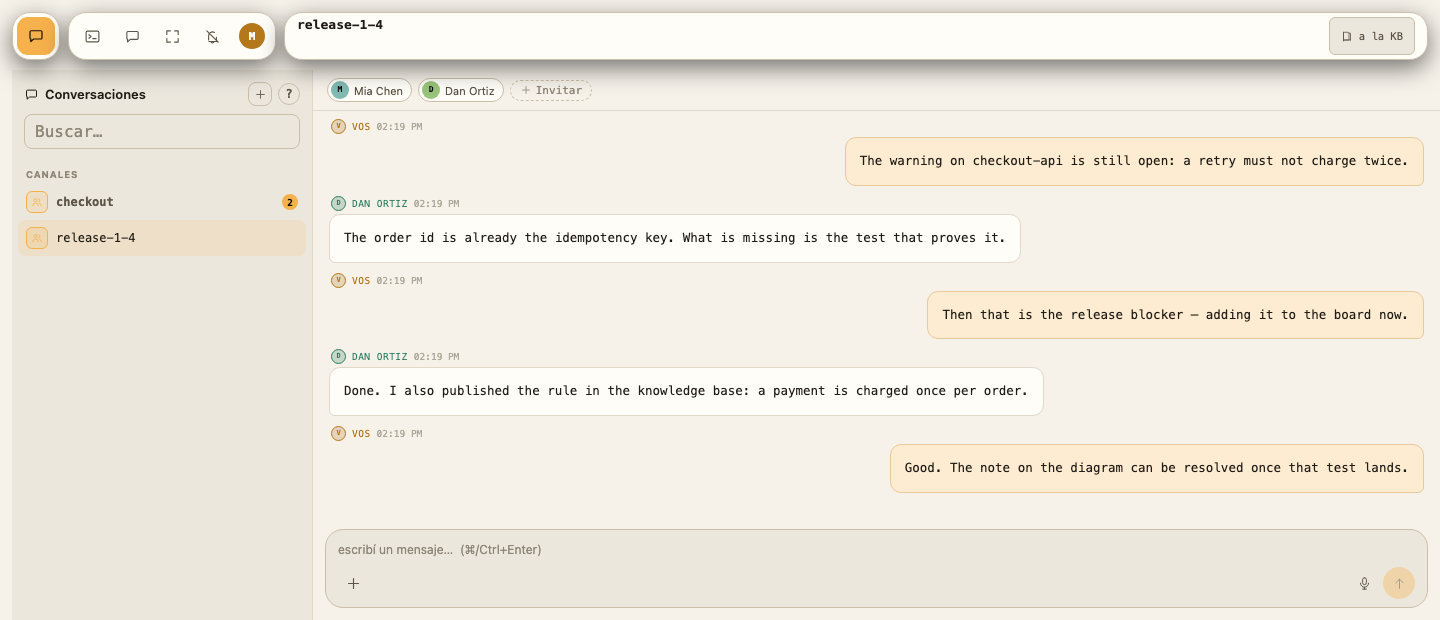
A feature is a room: the people working on it, the specialist agents you pulled in with @, the discussion, the subtasks and the diffs — together. An agent answers in the thread like a member does, reading the same map. Channels and direct messages are there too, for everything that isn't a feature yet.
Agents are members, not a sidebar— a reviewer or an architect joins a room with its own tools and limits, and answers where the team is talking.
Nothing scrolls away— what a conversation settles can be promoted to the knowledge base in one step, and a feature keeps its thread for as long as it exists.
Direct messages and channels— for the team, in the same place, with unread counts and mentions where you expect them.
Make it yours
Your workspace, your look.
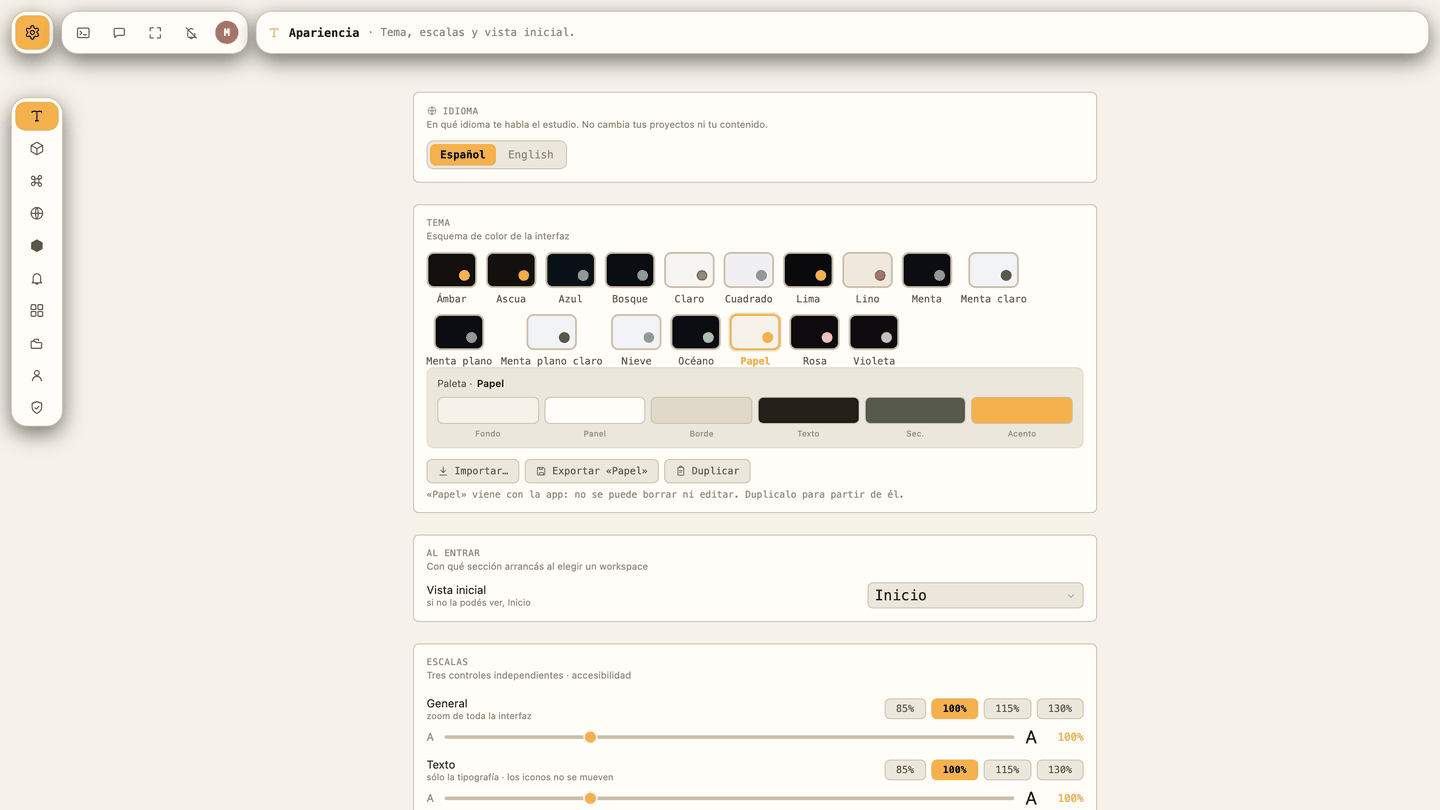
Seventeen themes out of the box — dark, light, and a few in between — and the whole interface follows: the honeycomb, the editor, the diagrams. Duplicate one, change the palette, export it and hand it to the team. Text, icon and interface scales are separate, so it's readable on any screen.
How it runs
Up in an afternoon, on hardware you already have.
01
Install one thing
A single install on a laptop or a server. No orchestration, no external services.
02
Point it at a project
It maps the system from what is already there, and shows you the prompt before any model runs.
03
Give the team a server
The same install on a machine the team owns. The board, the knowledge and the chat live there; everyone keeps their code on their own laptop.
A private beta, on purpose.
It's version 0.1.0 and we hand it out one team at a time — those two facts are related. What you'd be getting is a workspace whose core loop works end to end and whose hardening list is still long and written down. We'd rather have twenty developers who know exactly that than two hundred who found out later.
Going to use it with a team? The team's server is the same install — identity, roles and the audit record come with it. For the large-organisation details, start here.
 Team server
 Agents
 Workflows
 Editor
 Knowledge base
 Team
Team